October 14, 2026 • Judson Wells • 5 min reading time
5 Critical Red Flags That Signal Your Local Business Website Needs a Refresh
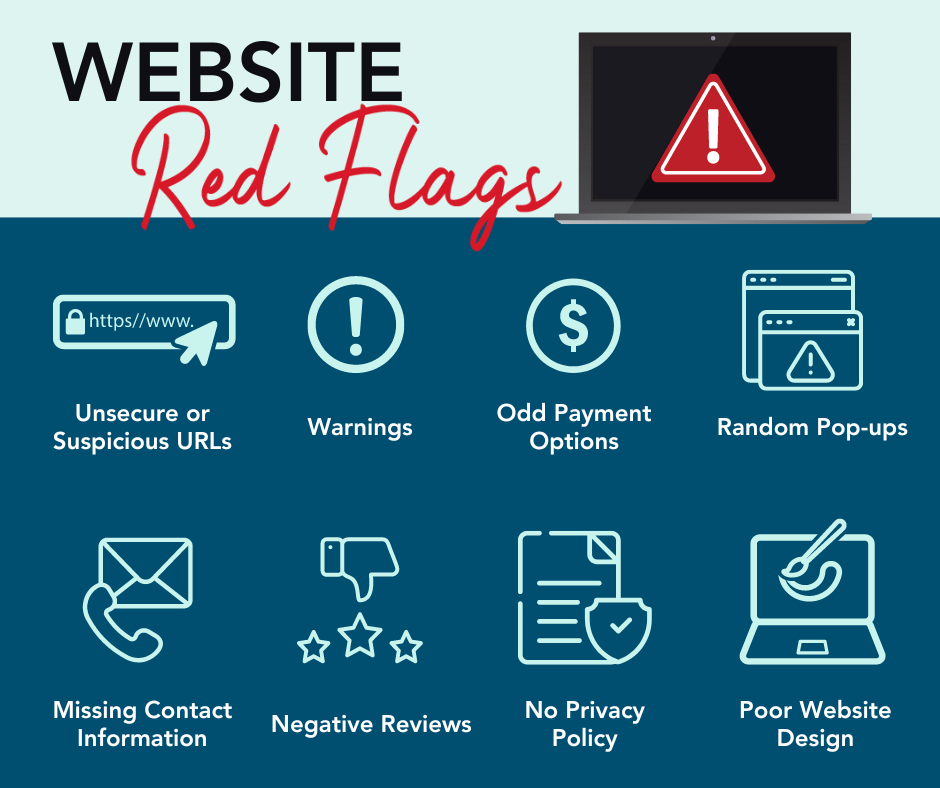
TL;DR: An outdated, slow, or poorly structured website silently turns potential local customers toward your competitors. If your site suffers from mobile friction, hidden calls-to-action, slow load times, or outdated branding, a modern site refresh will immediately boost trust, phone calls, and revenue.
Is Your Website Quietly Leaking Local Revenue?
For established local service providers, storefronts, and professional firms, your website is often your primary 24/7 salesperson. When a prospective client searches for a business in your area, your site forms their very first impression of your quality, reliability, and professionalism.
However, many established businesses rely on websites built 5 to 10 years ago. While the site might still be “online,” subtle friction points could be quietly costing you dozens of valuable phone calls, estimate requests, and store visits every month.
+-------------------------------------------------------------------------------+
|  Outdated Site Experience                                                     |
|  [ Slow / Non-Responsive ] -> [ Unclear CTAs ] -> [ Visitor Bounces Away ]    |
+-------------------------------------------------------------------------------+
|  Modern Webflare Refresh                                                      |
|  [ Instant Mobile Load ] -> [ One-Tap Calling ] -> [ High-Converting Lead ]   |
+-------------------------------------------------------------------------------+
1. Mobile Friction (Pinched Screens & Horizontal Scrolling)
Over 65% of local service searches happen on mobile devices—frequently while someone is on the go, looking for quick answers, addresses, or phone numbers.
If a customer visits your site on a smartphone and has to pinch-to-zoom, scroll horizontally, or struggle to tap small desktop menus, they won’t stick around. Mobile users expect a seamless app-like experience.
Common Mobile Friction Points:
- Tiny Touch Targets: Buttons and navigation links that are placed too close together, causing accidental taps.
- Unformatted Text Columns: Paragraphs that run off the edge of small screens.
- Heavy Media Files: Desktop-sized image files that consume mobile data and stall page rendering.
Key Takeaway: If your site isn’t explicitly built with a mobile-first responsive layout, you are actively giving up majority market share to local competitors whose sites work effortlessly on phones.
2. Hidden or Unclear Calls-to-Action (CTAs)
When a customer lands on your page, do they know exactly what step to take next within 3 seconds?
A classic pitfall of older or template-built sites is burring primary contact actions. Forcing a user to hunt through multi-level navigation menus just to find a contact form or phone number adds unnecessary cognitive effort.
       ┌─────────────────────────────────────────────────────────┐
       │             Ideal High-Converting Layout               │
       └────────────────────────────┬────────────────────────────┘
                                    │
         ┌──────────────────────────┼──────────────────────────┐
         ▼                          ▼                          ▼
┌──────────────────┐      ┌──────────────────┐      ┌──────────────────┐
│ Clear Value Prop │      │  Visible Phone   │      │   Sticky CTA     │
│  "What You Do"   │      │  "Click-to-Call" │      │ "Book Estimate"  │
└──────────────────┘      └──────────────────┘      └──────────────────┘
Essential CTA Upgrades for Local Sites:
- Click-to-Call Headers: A prominent, tappable phone number positioned right at the top of every mobile page.
- Direct Scheduling/Forms: Simple 3-field contact forms embedded right above the fold.
- Sticky Contact Buttons: Floating action buttons on mobile screens that keep “Request a Quote” visible during long scrolls.
Key Takeaway: Make converting effortless. Clearly state what you offer and place friction-free contact options front and center on every single page.
3. Slow Mobile Load Times (The 3-Second Drop-Off)
Local shoppers expect immediate answers. According to Google research, as page load time goes from 1 second to 3 seconds, the probability of a bounce increases by 32%.
Legacy platforms using heavy visual page builders, dozens of unmaintained plugins, or unoptimized server setups often take 4 to 8 seconds to load on standard 4G mobile connections.
The True Cost of Site Lag:
| Performance Level | Average Load Time | Customer Experience | Conversion Rate Impact |
|---|---|---|---|
| Legacy / DIY Site | 4.5s – 8.0s | Frustrating, sluggish | Down by 30% - 50% |
| Standard Template | 2.5s – 4.0s | Average, noticeable delay | Baseline benchmark |
| Custom Modern Build | < 1.0s | Instantaneous, premium | Up to 2x higher conversions |
Key Takeaway: A slow website penalizes your business twice: it annoys real customers into clicking away and lowers your organic search placement on Google.
4. Outdated Branding, Design & Messaging
Design trends and user expectations evolve rapidly. A website designed in 2018 looks drastically different from modern web standards in 2026.
If your design features low-resolution imagery, cluttered sidebars, generic stock photos, or outdated typography, visitors unconsciously question the modern quality of your physical business services.
Modernization Checkup:
- Authentic Local Photography: Replace stock photos with crisp pictures of your real team, shop, equipment, or recent local projects.
- Clean Typography & Layouts: Utilize generous white space, bold headlines, and easily readable font sizes.
- Updated Service Offerings: Ensure your listed services, pricing models, hours, and team details accurately reflect your current operations.
Key Takeaway: Modern visual polish builds instant credibility. Your digital presence should reflect the high standard of work you deliver in person every day.
5. Security Warnings & Broken Trust Signals
Nothing kills customer confidence faster than a browser warning pop-up stating “Your connection to this site is not secure.”
Modern web browsers like Chrome and Safari prominently mark non-HTTPS websites as unsafe. Combined with broken links, outdated copyright dates in the footer, or missing SSL certificates, these visual warning signs prompt visitors to close the tab immediately.
⚠️ Warning: Security Certificate Expired / Missing HTTPS
[ Visitors see "Not Secure" alert ] -> [ 90% Leave Immediately ]
Essential Trust Signals Every Site Needs:
- Active SSL Certificate: Enforced HTTPS encryption for safe browsing and form submissions.
- Recent Reviews & Testimonials: Integrated Google reviews or client quotes verifying recent, successful work.
- Local Accreditation Badges: Visible logos showing local chamber memberships, trade licenses, or certifications.
Key Takeaway: Trust is hard to earn and easy to lose. Eliminating browser warnings and showcasing fresh social proof creates a safe, welcoming experience for potential buyers.
How Does Your Current Website Measure Up?
Take a quick moment to evaluate your existing business website against this simple checklist:
- Does the page load in under 2 seconds on a smartphone?
- Can a customer tap your phone number to call you instantly from a phone?
- Are your primary services, address, and hours up to date?
- Is your layout clean, modern, and free of browser warnings?
If you answered “No” to two or more of these questions, your site is due for a strategic refresh.
Upgrade Your Local Online Advantage
Refreshing your website doesn’t have to be overwhelming or disruptive. At Webflare Design Co., we design custom, lightning-fast sites specifically tailored to convert local traffic into long-term clients.
Ready to transform your site into a high-performing revenue generator? Contact Webflare Design Co. today for a free site performance evaluation and consultation!